
a better meal - Meal Planner
A Better Meal LLCFood & Drink
3.913.00 Reviews
- Version
- 3.6.1
- Installs
- 10.00K
- Age Rating
- Everyone
Screenshots

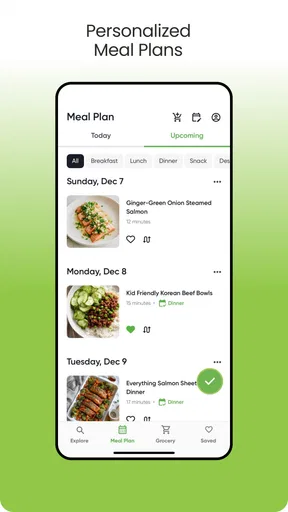
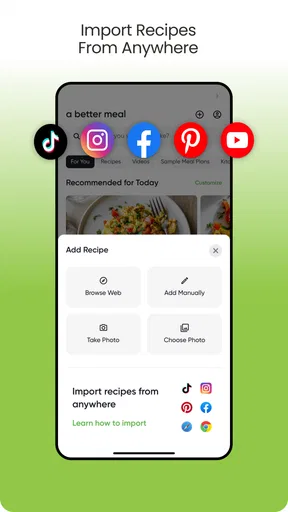
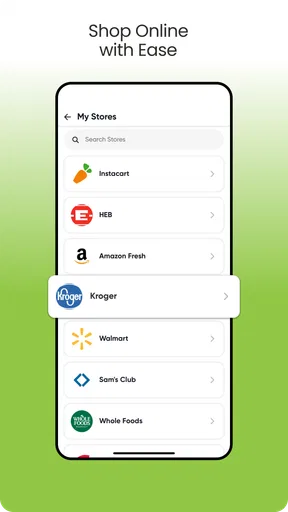
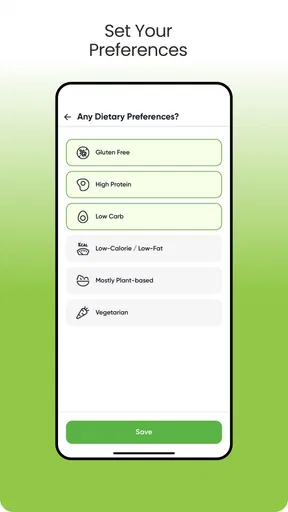
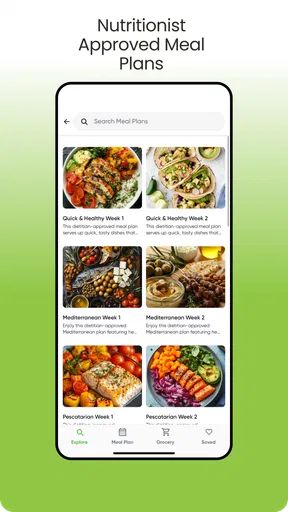
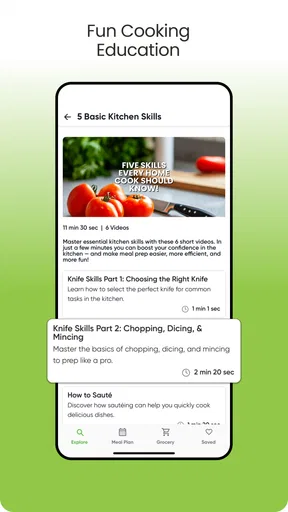
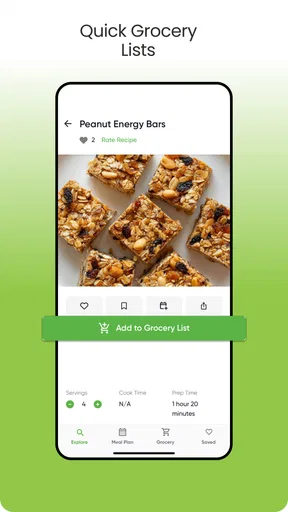
Our Review of a better meal - Meal Planner
 Analysis by Appyee
I approached a better meal - Meal Planner as someone who often reaches the end of the day with ingredients in the kitchen but no clear idea what to do with them. My first impression was that it is less about collecting recipes and more about reducing the small decisions that make home cooking feel tiring. That distinction matters. A recipe app can show me something attractive, but a dinner planner needs to help me decide what to cook, prepare for it, and keep the week from becoming a series of last-minute choices.
After spending time with it, my view is fairly clear: this is a useful option for people who want a more organized dinner routine without building a full meal plan from scratch. It is especially appealing for households, because the central idea is a personalized weekly plan rather than a single isolated dish. At the same time, it is not a complete replacement for a carefully managed grocery system or a highly specialized nutrition tool. Its value depends on whether I want guidance and structure more than total control.
How the weekly planning approach feels in everyday use
The app comes from A Better Meal LLC and sits in the Food & Drink category. It is free to install, with optional in-app purchases ranging from $4.99 to $199.99 per item. That makes it easy to try without committing immediately, although I would still pay attention to which parts of the planning experience are available without an upgrade before making it the center of my routine.
The most useful way to think about this app is as a decision-making tool. Instead of opening a large recipe catalog and asking myself what sounds good, I can begin with the week ahead. That shift is small but important. Planning dinner on Sunday, for example, feels different from searching for food at six in the evening while already hungry. A weekly view gives me a chance to notice busy days, choose simpler meals for them, and reserve more involved cooking for evenings when I actually have time.
In a realistic family scenario, I might use the planner at the start of the week, look over the suggested dinners, and adjust my expectations around school, work, or appointments. A meal that requires more preparation belongs on a quiet evening, while a faster option makes more sense on a day when everyone arrives home at different times. Even without treating the plan as a strict schedule, it gives the week a shape. That is more practical than saving a dozen appealing recipes and still having no answer at dinner time.
I also like the idea of using the plan as a conversation starter with other people in the household. A family meal plan works best when it reflects real preferences rather than one person’s ideal menu. Reviewing the week together can expose problems early: a dish nobody wants, a night when cooking is unrealistic, or a meal that uses an ingredient already planned elsewhere. The app’s strongest promise is not culinary creativity; it is making those decisions visible before they become stressful.
Where personalization helps most
Personalization is most valuable when it prevents a plan from becoming too ambitious. Many meal-planning systems look impressive because they produce a full schedule, but a full schedule is not automatically a usable one. I would judge a plan by how well it fits my actual week, not by how varied or elaborate it appears. The better approach is to treat the suggested menu as a starting point and edit it around energy, time, and household habits.
One practical technique is to keep a deliberately uneven week. I would place the easiest dinners on the most demanding days, leave one flexible slot for leftovers or an unexpected change, and use the remaining days for meals that justify preparation. This prevents the common mistake of planning seven ideal cooking sessions when real life will probably interrupt at least one of them. A planner becomes more helpful when it supports this kind of adjustment rather than making me feel that I have failed by changing the schedule.
Another useful habit is to review the plan before shopping, not after. Looking at the whole week helps me spot repeated ingredients and avoid buying items for one recipe that will sit unused. I would also check whether two meals can share a preparation step, such as chopping vegetables or cooking a basic component in a larger batch. That is a less obvious benefit of weekly planning: the savings come not only from choosing meals, but from arranging them intelligently.
For someone cooking for a family, this can also reduce the need to answer the same question repeatedly: what is for dinner? The answer is not locked in stone, but it exists somewhere outside my head. That alone can make the evening routine calmer. The app is at its best when I use it as a lightweight household system rather than expecting it to make every food decision perfectly.
The main weakness is the gap between a plan and real kitchen logistics
The limitation I would keep in mind is that a personalized menu is only as useful as the information and attention I bring to it. A plan can suggest a sensible sequence, but it does not remove the need to check what is already in the pantry, how long preparation will take, or whether everyone will actually eat the result. If I accept a schedule without reviewing those details, I can still end up with wasted ingredients and a rushed evening.
This matters particularly for households with changing preferences. Children may reject a meal they accepted last week, adults may have different dietary priorities, and work schedules can move without warning. A planner can organize choices, but it cannot predict those changes. I would therefore avoid treating the weekly menu as a contract. The most realistic workflow is to approve only the parts that fit, keep one or two meals flexible, and revise the plan when circumstances change.
There is also a trade-off between convenience and precision. People who want exact nutritional targets, detailed macro tracking, or a tightly controlled medical diet may need a more specialized tool. Likewise, someone who already has a reliable recipe collection and a carefully maintained grocery spreadsheet may find this app less necessary. Its appeal is strongest for the middle ground: people who want help turning dinner ideas into a manageable week, but do not want to operate a complicated food-management system.
The purchase structure deserves a measured look as well. The app is free to start, but optional purchases can become significant depending on what a user chooses. I would begin with the free experience and test one complete planning cycle before spending money. That gives me enough time to see whether the suggestions match my household, whether the editing process feels natural, and whether the app saves more effort than it adds. A paid feature is worthwhile only if it improves a routine I will genuinely repeat.
Small workflow choices that make it more useful
My first tip would be to plan around difficult evenings rather than around the meals I am most excited to cook. Mark the busiest days mentally, then choose the least demanding options for them. This sounds obvious, but it changes the app from a source of aspirational menus into a practical schedule. A plan that survives a hectic Tuesday is more valuable than one that looks perfect on a quiet weekend.
My second tip is to use the weekly plan as a preparation map. After reviewing the dinners, I would group similar tasks and prepare only what is likely to be used soon. That might mean washing produce, organizing ingredients, or making a basic component ahead of time. The goal is not to spend an entire day meal-prepping. It is to remove the few repetitive steps that usually make cooking feel harder than it needs to be.
A third insight is to track friction rather than judging meals only by taste. After a week, I would ask which dinners caused delays, required an extra store trip, or created too many dishes. Those are the meals to move, simplify, or replace in the next plan. This turns the app into a feedback loop. Instead of assuming that a plan is good because it looks balanced, I can improve it according to what actually happened in my kitchen.
I would also keep a flexible meal available. Plans often fail because every evening is assigned too precisely. A leftover night, a simple standby, or an intentionally open slot gives the household room to absorb changes. This is especially important when cooking for several people, since a single late appointment or unexpected commitment can disrupt the entire sequence.
Finally, I would involve the people who will eat the food before the week begins. Even a short discussion about preferred meals can prevent wasted effort. If one person dislikes a planned dinner, it is easier to find out during planning than after ingredients have been prepared. This is where the family focus becomes practical: the plan works better when it reflects shared decisions instead of being imposed on everyone else.
Who should try it, and who should look elsewhere
I think this app is a good fit for a busy individual who wants a weekly dinner structure, a couple trying to reduce nightly indecision, or a family that repeatedly falls back on the same convenient meals. It should also suit people who enjoy cooking but dislike the organizational side of it. The planning layer can provide enough direction to make home cooking more consistent without requiring me to design every week from an empty page.
It is less convincing for someone who cooks spontaneously and enjoys deciding at the market or just before dinner. That style is not a problem to solve, and a weekly planner may feel like unnecessary administration. I would also hesitate to recommend it as the only tool for strict allergy management, therapeutic diets, or detailed nutritional accounting. In those situations, the cost of an overlooked detail is higher, so a purpose-built solution and careful personal verification would be more appropriate.
Compared with ordinary recipe browsing, the app’s advantage is continuity. A recipe search answers what I could cook right now; a weekly planner helps me think about several dinners together. Compared with a handwritten list, it offers a more guided starting point. Compared with a spreadsheet, it should feel less like maintaining a database and more like making a usable menu. The trade-off is that a manual system can be more exact, while a general planner is easier only when its suggestions and organization match my needs.
The technical entry point is fairly accessible. It runs on Android versions starting with 7.0, carries an Everyone content rating, and the current release is version 3.6.1. The app was released on May 29, 2023, and its audience has grown to over 10 thousand installs. Those details do not decide whether the planning method suits me, but they make the app approachable for people using older compatible Android devices as well as newer ones.
The average rating is 3.9 from around 50 ratings, with more than 10 written reviews. I would read that as a reason to try the app personally rather than assuming it will fit every household. A rating in that range suggests a mixed but viable experience: enough people find value in it, while others may encounter limitations in the workflow or expectations that the app does not meet. For a planning tool, personal fit matters more than a single score.
My verdict after looking at the complete routine
The best reason to use a better meal - Meal Planner is not that it promises perfect dinners; it is that it can make an ordinary week easier to organize. I appreciate that distinction. Its strongest contribution is helping me move from vague intentions to a sequence of meals I can review, adjust, and prepare for. The benefits become clearer when I use it before shopping and adapt the plan to the difficult parts of the week.
I would recommend trying it if dinner decisions regularly become a source of stress, especially in a family setting. Start with a free planning cycle, inspect every suggested meal against your schedule, and leave room for leftovers or changes. That approach gives the app a fair test without expecting it to understand every personal preference immediately.
I would skip it if I already have a system that handles recipes, shopping, nutrition, and household preferences exactly the way I want. I would also choose a more specialized service for strict dietary requirements. For everyone between those extremes, this is a sensible Food & Drink app with a clear everyday purpose. It does not eliminate the work of cooking, but it can reduce the mental work that comes before it. In my experience, that is a worthwhile improvement when the real problem is not a lack of recipes, but a lack of a workable plan.
Verdict
Strengths of a better meal - Meal Planner
- Creates organized weekly meal plans in just a few taps.
- Helps reduce food waste by planning ingredients in advance.
- Offers useful recipe inspiration for different meals.
- Makes grocery shopping easier with a structured ingredient list.
- Suitable for users who want to build a more consistent eating routine.
Limitations of a better meal - Meal Planner
- Some recipes or planning features may require a paid subscription.
- The ingredient database may not match every regional cuisine.
- Personalizing plans can take time for users with strict dietary needs.
- Portion and nutrition information may vary between recipes.
- Requires regular updates to keep plans and shopping lists accurate.
Similar Picks in This Category
View All
Rappi: Food Delivery, Grocery
Rappi, Inc - Delivery3.5

McDonald’s: Cupons e Delivery
Arcos Dorados4.3

Swiggy: Food Instamart Dineout
Swiggy4.7

Blinkit: Groceries & more
Blinkit4.8

foodpanda: food & groceries
Foodpanda GmbH a subsidiary of Delivery Hero SE4.0

Zomato: Food Delivery & Dining
Zomato4.7
Frequently Asked Questions
What is A Better Meal – Meal Planner, and how does it work?
A Better Meal – Meal Planner is designed to help you organize meals, discover recipe ideas, and plan what to eat throughout the week. After setting up your preferences, you can review suggested meals, arrange them on a schedule, and use the plan to make shopping and cooking more predictable. It is especially useful for people who want structure without planning every meal from scratch.
Can I customize the meal plan for my diet and personal preferences?
The app is intended to make meal planning more personal by allowing you to consider factors such as dietary preferences, disliked ingredients, eating habits, and household needs. Before relying on a plan, review the available settings carefully and check each recipe yourself, particularly if you have allergies, medical dietary restrictions, or specific nutritional goals. App suggestions should support—not replace—professional dietary advice.
Does A Better Meal include a grocery list?
Meal planning is most helpful when it connects directly with grocery preparation, and A Better Meal can help you identify the ingredients needed for planned recipes. Depending on the version and platform, you may be able to review, organize, or manage shopping items from your meal schedule. Always check quantities and pantry items manually, since substitutions, serving changes, or recipe adjustments may affect the final list.
Is A Better Meal suitable for families or multiple people?
The app can be useful for couples, families, and anyone preparing meals for more than one person because planning several days in advance can reduce repeated decisions and unnecessary shopping. You should confirm whether the serving sizes can be adjusted to match your household and whether everyone’s preferences can be accommodated. Families may still need to edit suggested meals for allergies, children’s tastes, or different portion requirements.
Is A Better Meal free to download, and are there any in-app purchases?
Before downloading, check the current Google Play Store or Apple App Store listing for the latest pricing and subscription information. Meal-planning apps may offer free access to basic features while reserving advanced planning tools, additional recipes, synchronization, or other conveniences for a paid plan. Review the trial terms, renewal conditions, and cancellation instructions carefully so you understand what you will be charged and when.
